March 20, 2026
Perform worst case discharge and environmental risk calculations at the click of a button.
Understanding the consequences of an uncontrolled hydrocarbon discharge is a critical part of planning how to drill it safely. Engineers must estimate potential discharge rates, evaluate environmental exposure, and assess whether a blowout scenario could be controlled through a relief well.
These analyses often require running many simulations across different release points, flow paths, and uncertain reservoir parameters.
Inside the Blowout module in Oliasoft WellDesign, engineers can perform these evaluations directly within the well planning workflow. The process moves from worst case discharge scenarios to probabilistic environmental risk analysis in a structured sequence.
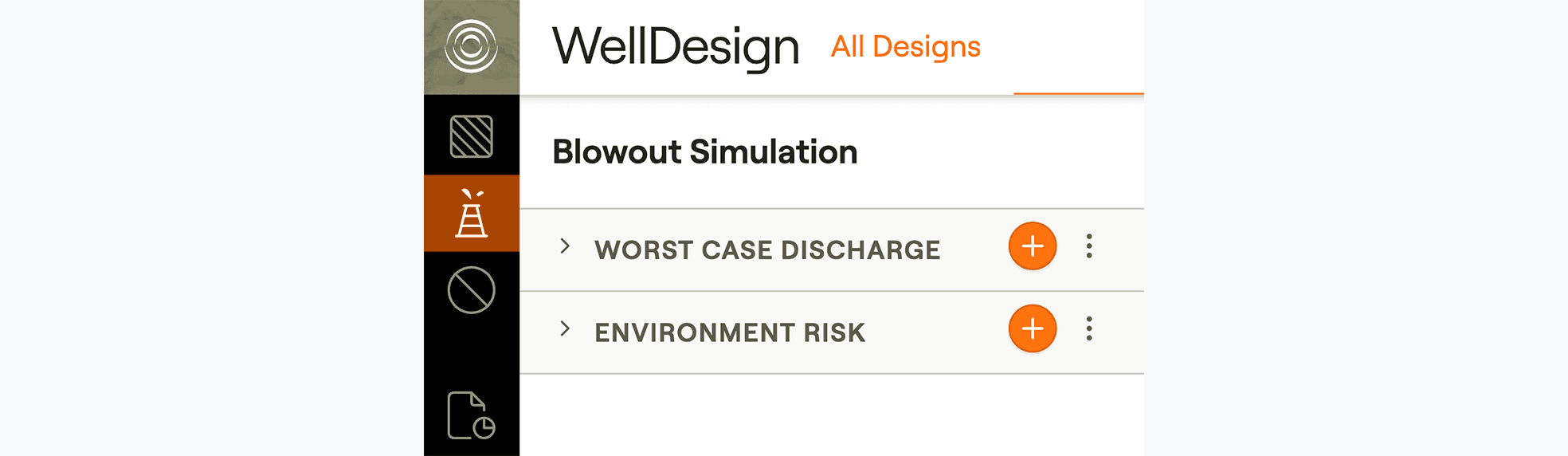
The workflow begins by selecting a Worst Case Discharge simulation.
A typical scenario may involve a blowout through open hole with release to seabed. Running this simulation creates a realistic blowout case that serves as the foundation for further analysis.
Once the discharge scenario is defined, engineers can use the same simulation to evaluate whether the blowout could be dynamically killed through a relief well.
Step 1: Define the Worst Case Discharge Scenario
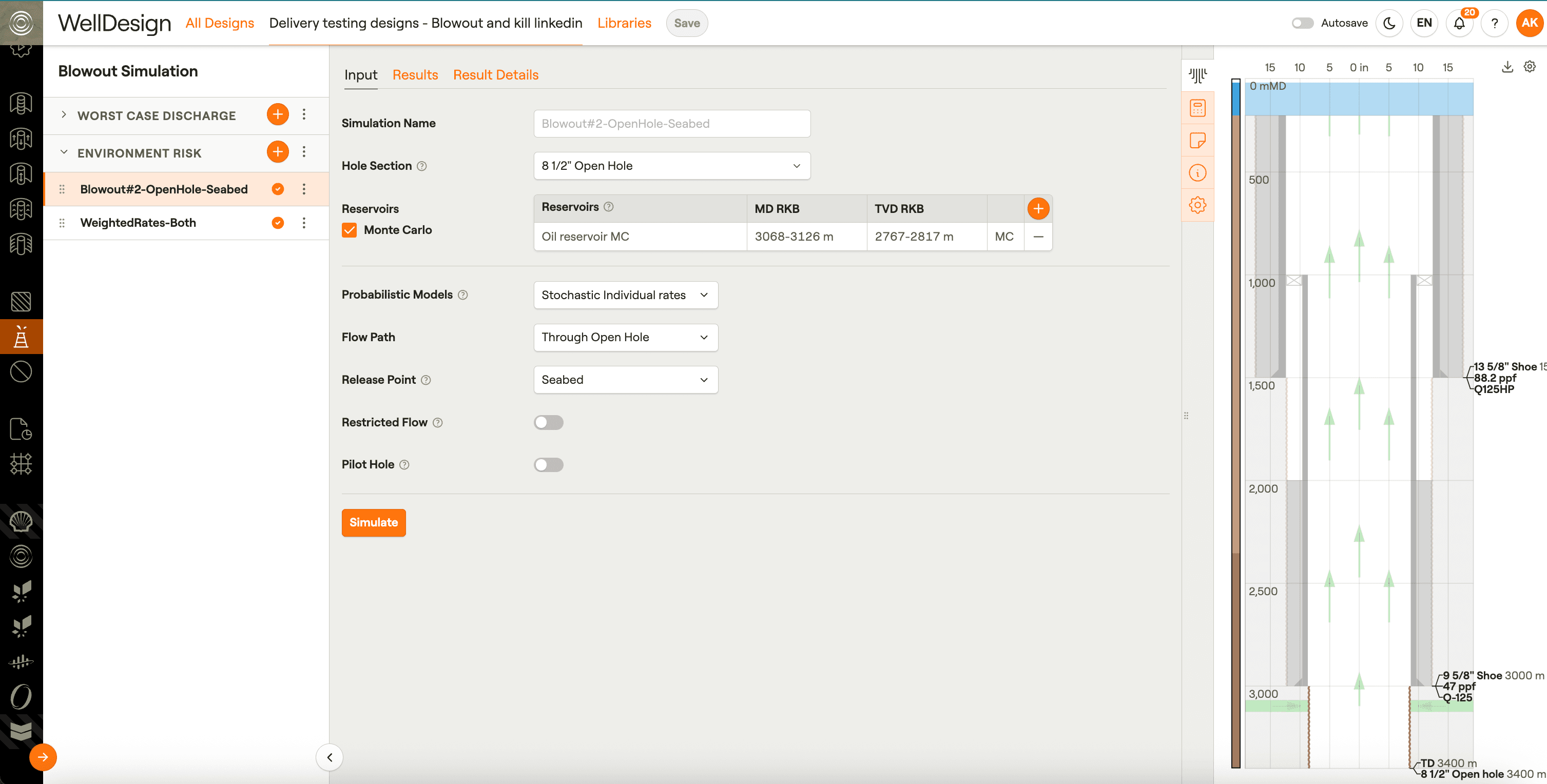
Reservoir parameters often contain uncertainty, which can significantly affect discharge rates.
To account for this, engineers can define an uncertainty span for reservoir parameters within the Environmental Risk section of the Blowout module. This allows the system to run Monte Carlo simulations to evaluate potential blowout rate outcomes.
Step 2: Introduce Reservoir Uncertainty
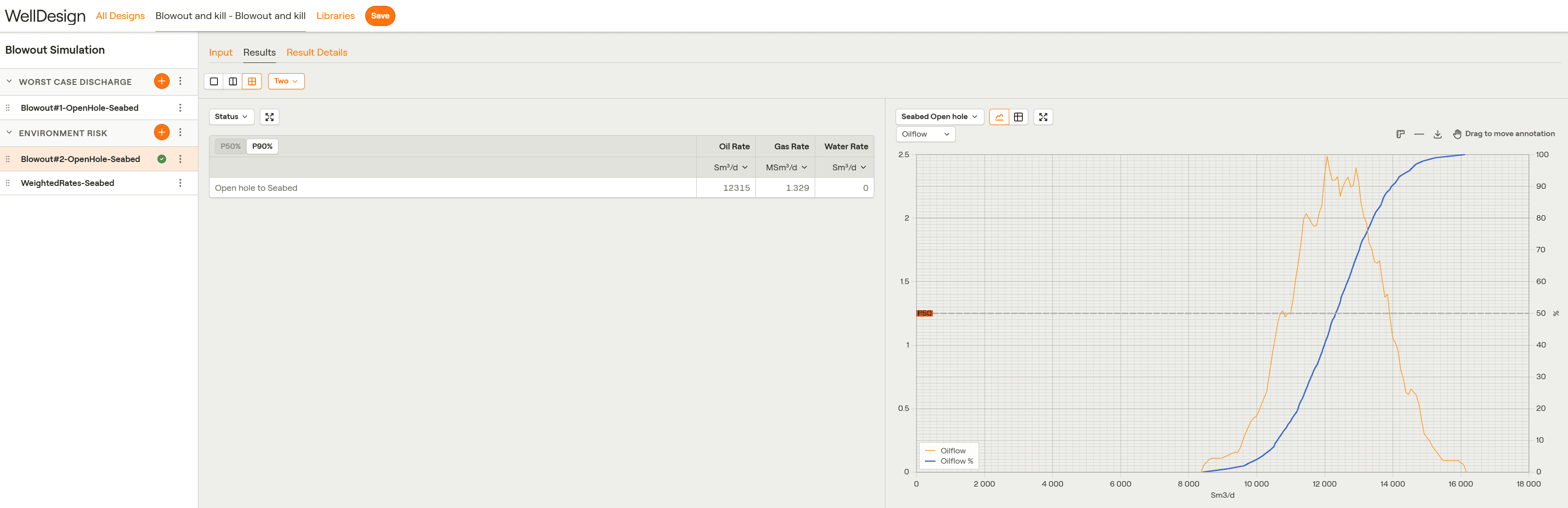
The Environmental Risk module allows engineers to analyze the probability distribution of blowout rates.
Users can quickly evaluate a well using indicators such as:
Step 3: Analyze Probability Ranges
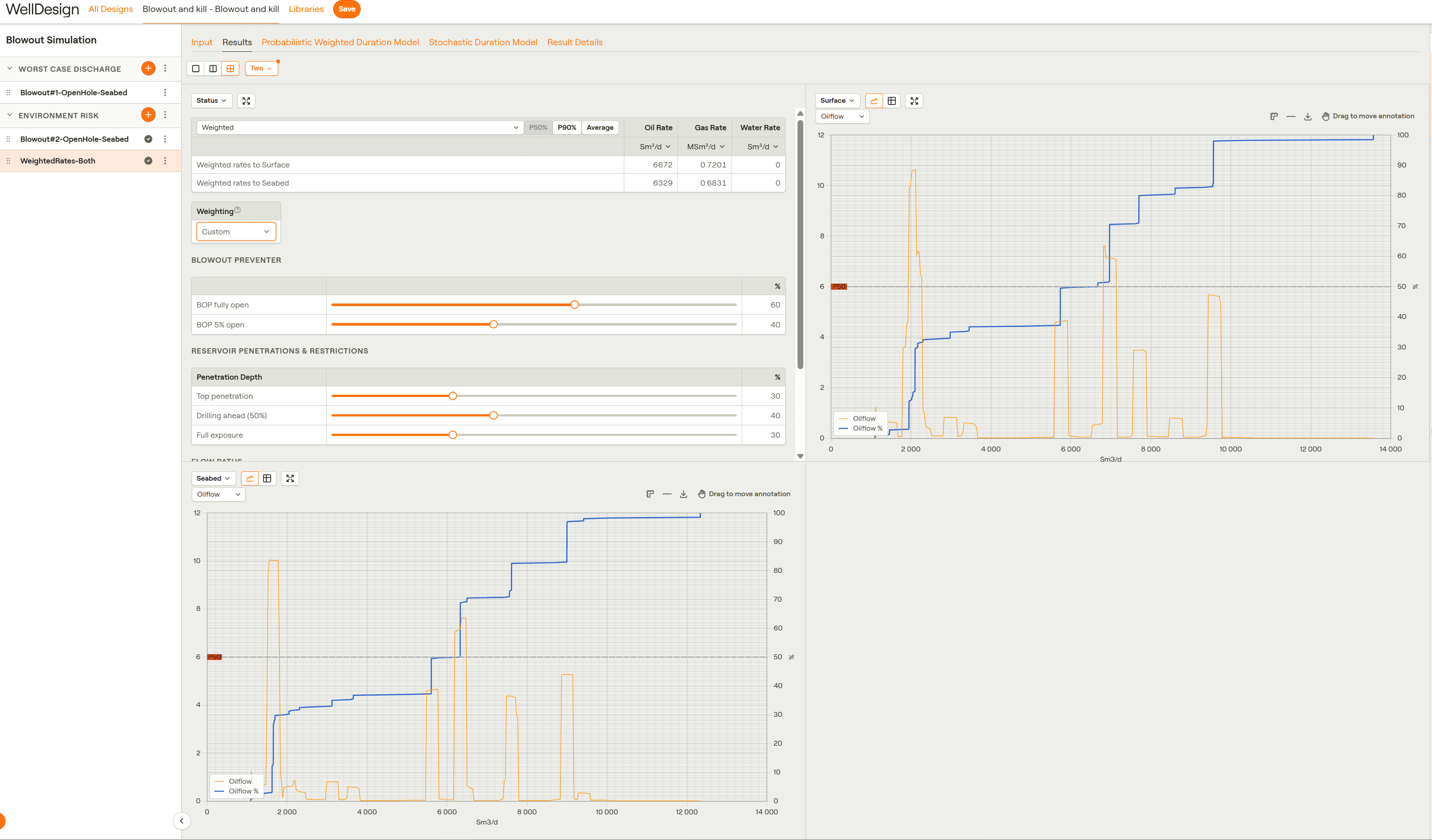
Environmental Risk Assessments often require evaluating multiple combinations of conditions, including: flow paths, penetration depths, BOP openings, release points.
These combinations quickly result in large sets of simulation scenarios.
Step 4: Run Environmental Risk Assessments
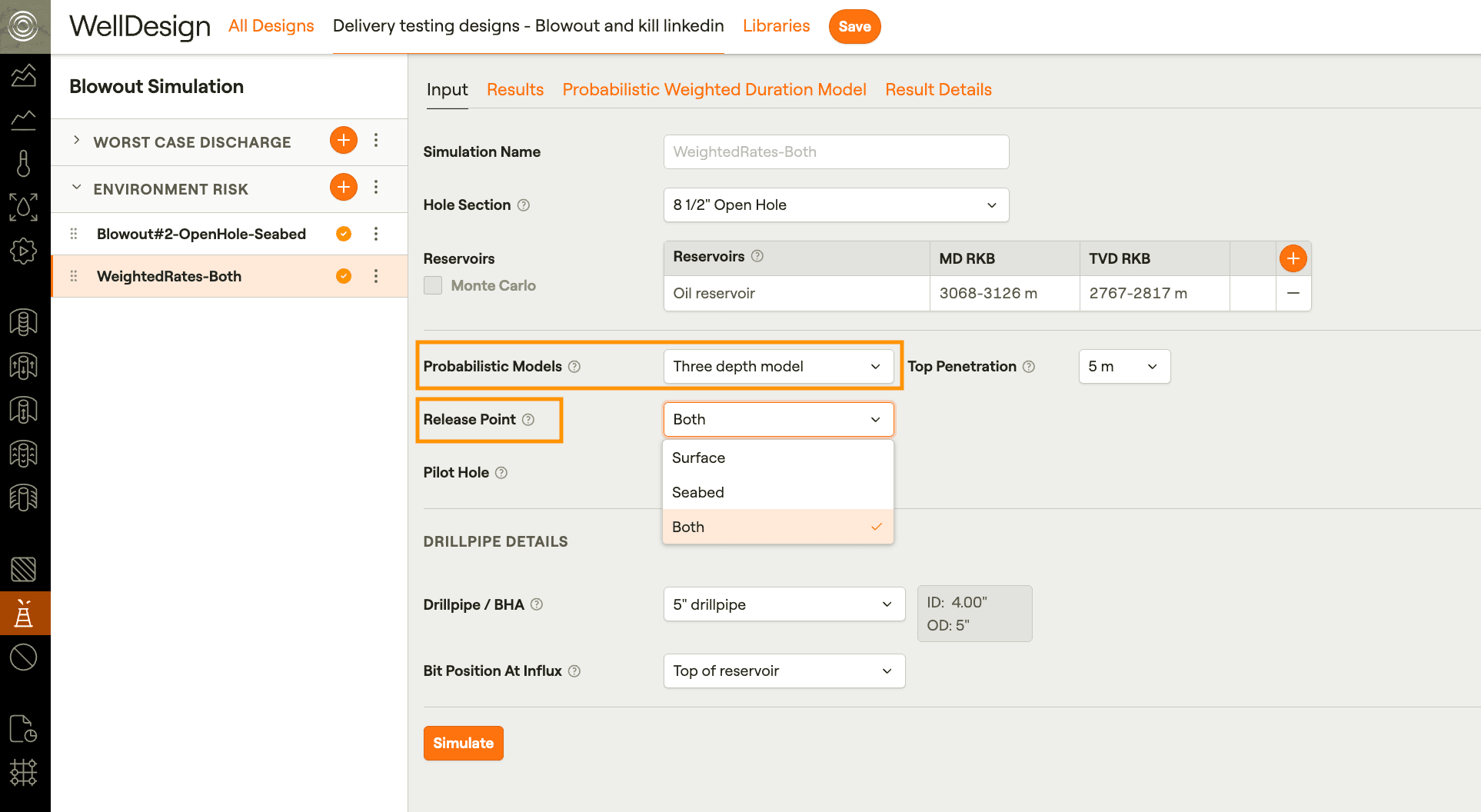
For example, a three-depth model with releases to both surface and seabed can generate 36 simulation cases automatically.
Engineers can quickly review resulting blowout rates and probability ranges to support environmental risk evaluations and operational planning.
Step 5: Evaluate Simulation Results
By combining worst case discharge modeling, relief well evaluation, and probabilistic environmental risk analysis in one environment, Oliasoft WellDesign allows engineers to analyze complex blowout scenarios more efficiently.
This integrated workflow helps teams better understand potential risks and prepare robust well control strategies long before drilling operations begin.